Indoor Golf Simulator Setup Guide for Modern Venues
· Updated · 14 min read
Indoor golf is no longer a rainy-day backup plan. An indoor golf simulator is now a primary attraction for modern golf facilities that want to offer players a flexible, entertaining experience year round.
Casual players unwinding after work and serious students of the game studying every swing are both turning to simulator technology to practice, play, and compete indoors. Modern venues are investing in golf simulators because the technology combines entertainment, training, and steady revenue in a single system.
This guide breaks down what commercial operators need to know about building a successful indoor golf simulator venue: the types of golf simulators on the market, space planning, launch monitors, golf simulation software, installation, and the features players actually care about. It works alongside our full resource on golf simulator booking software, which covers how venues manage traffic once the bays are built.
What Is an Indoor Golf Simulator?
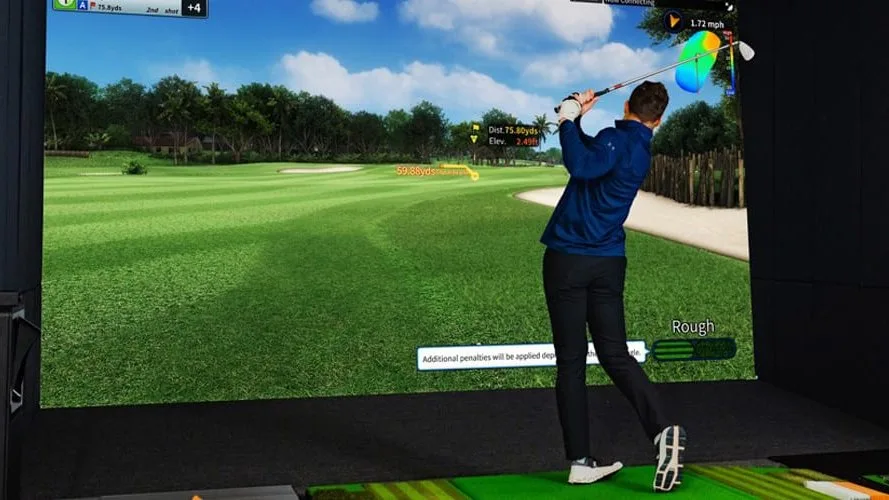
An indoor golf simulator is a system that lets people play, practice, and compete at golf inside, regardless of weather or daylight. A complete build typically includes an impact screen, projector, hitting mat, enclosure, golf simulation software, and a launch monitor that tracks every shot and turns it into real-time club and ball data and visuals.
How Golf Simulator Technology Works
When a player swings a golf club and strikes the golf ball, the launch monitor measures key details like club head speed, launch angle, spin rate, and ball direction. The golf simulation software then uses that club and ball data to show where the shot would travel on a virtual course. In simple terms, the technology converts a real swing into a round of virtual golf, and launch monitor accuracy is the foundation of everything the software displays.
That data is also what makes golf simulators valuable for golf practice. Players can see exactly what is happening in their swing, test changes, and track improvement session over session. Many venues also offer club fitting, because effective golf club fitting is achieved through the detailed feedback simulators provide on every swing. Others come purely for virtual golf with friends. Customers who use the technology to build their golf skills tend to become the most loyal regulars a venue has.
Why Indoor Golf Continues to Grow
People use golf simulators for both golf practice and entertainment. Some want to sharpen their golf skills, while others want to play famous courses from around the world, compete with friends, or simply enjoy the game in a comfortable indoor space where weather never cancels a session.
The participation data backs this up. According to the National Golf Foundation, U.S. simulator participation has more than doubled compared to pre-pandemic levels, and the growth is not limited to younger players. NGF reports that simulator users age 50 and up have grown 184% over roughly the same span, meaning venues are drawing customers from a wider slice of the golf industry than ever, from serious golfers to families looking for something fun to do together. There is a practical driver behind the demand too: indoor simulators help golfers maintain muscle memory throughout the off-season, which is exactly why winter is peak season for simulator venues in cold-weather markets.
Types of Golf Simulators and Packages
Not all golf simulators are built the same way, and understanding the main categories helps operators plan the right build for their space and budget. Most golf simulator packages fall into a few form factors, and the launch monitor at the center of each one determines the accuracy of the whole system.
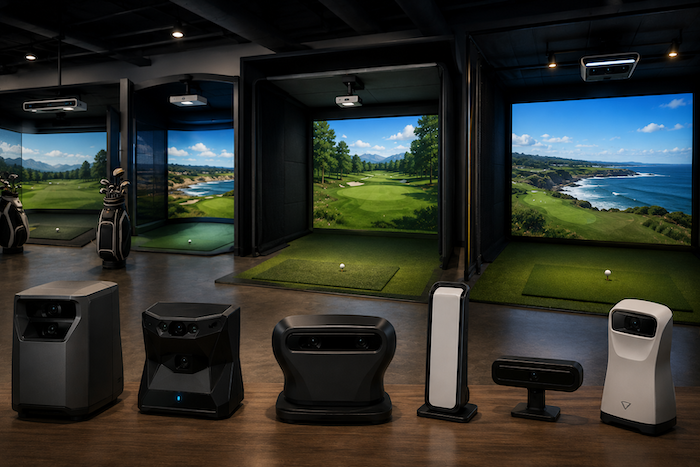
Ceiling-mounted systems. Units like TrackMan iO and Foresight Sports APOGEE mount overhead, which keeps the hitting area clear and works well in tighter bays. TrackMan iO is a ceiling-mounted golf simulator system designed specifically for indoor rooms, and APOGEE is a ceiling-mounted launch monitor that uses overhead cameras so nothing sits on the floor behind or beside the player.
Floor and side-mounted camera systems. A camera based system such as the Foresight Sports GCQuad or Uneekor units sits near the hitting area and captures club and ball data at impact. These are among the most accurate options for indoor use.
Portable launch monitors. Devices like the Garmin R50, a portable, plug-and-play golf simulator, and SkyTrak+, a compact launch monitor that is ideal for small spaces with less depth required, offer an affordable entry point. They are popular with golfers in home golf simulator builds and can work for venues testing demand before a full commercial buildout.
Complete enclosure packages. Complete golf simulator packages such as the TruGolf MAX, which features a 15-foot screen for immersive gameplay, bundle the enclosure, screen, mat, projector, and software together. A full package includes everything needed to get a bay running, which simplifies purchase decisions and installation planning, and a well-specced package includes commercial licensing from day one. Higher-end golf simulator packages add commercial-grade components built for heavy daily use.
Every tier of the market, from an affordable home golf simulator package to a flagship commercial bay, uses the same core components. The differences are accuracy, durability, and software depth, so comparing golf simulator packages on those three factors is more useful than comparing on price alone. For a brand-by-brand comparison of the systems commercial operators choose most, see our guide to the best golf simulator for business owners.
Commercial vs Home Golf Simulator Setups
Operators researching equipment will notice that much of the content online is written for the home golf simulator market, and it is worth understanding how a commercial build differs.
A home golf simulator is designed for one player or one family enjoying casual virtual golf. It can run on a gaming computer, use a mid-range launch monitor, and tolerate downtime, because nobody loses revenue when a home golf simulator sits idle on a Tuesday. DIY installation typically takes 2 to 5 hours for a portable or entry-level home golf simulator package, which is part of why the home market has grown so quickly. If you are weighing a self-built bay against a packaged system, see our comparison of a DIY golf simulator vs a commercial setup.
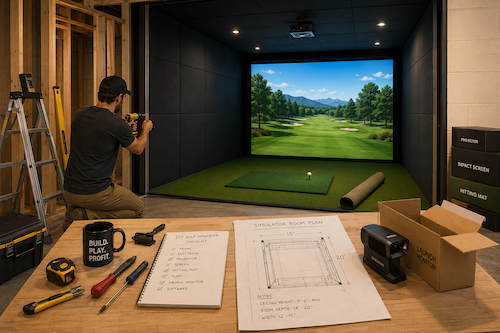
A commercial venue is a different reality. The equipment runs eight to fourteen hours a day, customers of every skill level swing in the bays, and the experience has to feel premium enough to justify the price of a booking. Unlike a home build, a commercial bay needs commercial-grade impact screens, reinforced enclosures, high-output projectors, and simulation software licensed for business use. Professional installation services are available for golf simulators at this level, and venues should use them. Unlike a DIY weekend project, a multi-bay commercial installation involves electrical work, projector alignment, enclosure construction, and software configuration that professional installers handle in days rather than weeks.
The price gap reflects that difference. Home setups run from under $2,500 to over $70,000, with most falling between $5,000 and $20,000, while a commercial bay is a larger investment built to generate daily revenue. Golf simulator packages marketed to home buyers are priced for occasional use, while commercial golf simulator packages are priced for durability under constant play. The takeaway for operators: read home-focused reviews for general technology impressions, but make purchase decisions based on commercial duty cycles, warranties, and service plans. Our golf simulator cost guide breaks down the price difference between home and commercial builds in detail.
Space Requirements for an Indoor Golf Venue
One of the biggest mistakes indoor golf facilities make is underestimating how much space they actually need. A simulator may look compact online, but a full swing with a driver demands real clearance, and a cramped bay immediately feels less professional.
How Much Space Does a Simulator Bay Need?
Plan each commercial bay around 15 feet of width, 10 feet of ceiling height, and 18 to 20 feet of depth. Published minimums sit closer to 10 feet wide and 16 feet 5 inches deep, which can work at home but leaves no margin for the range of golfers a venue serves. Our complete guide on how much space you need for a golf simulator covers ceiling obstructions, both-handed play, multi-bay layouts, and the lounge space around each bay.
Benchmarks get you to a go or no-go on a lease. They do not tell you how four bays, a lounge, and a service counter actually fit inside a specific footprint with columns and an HVAC run in the wrong place. That is where a design firm earns its fee. Companies like Pioneer Golf in Minnesota produce 3D renderings of a space before anything is ordered, which is considerably cheaper than discovering a clearance problem after the enclosures arrive.
Designing a Comfortable Indoor Setting
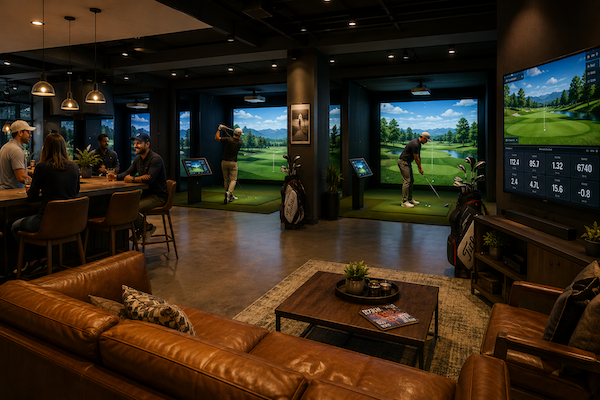
Location planning is about more than fitting the equipment. The goal is a space where golfers feel relaxed, your team can move easily, and guests can watch or wait without crowding the hitting area. Comfortable seating, clear walkways, and enough space for groups between bays all make the difference between a venue that feels premium and one that feels improvised. Guests who have an enjoyable experience in the room, not just in the bay, stay longer and spend more.
Choosing the Right Launch Monitors and Equipment
The launch monitor is the brain of the whole operation. It determines what data your customers see, how accurate the ball flight looks, and whether the virtual golf experience feels legitimate. For commercial venues, accuracy is not a luxury. It is what keeps players coming back and recommending the venue to friends.
Camera-Based vs Radar-Based Launch Monitors
There are two main types of launch monitors: camera-based and radar-based. The accuracy of indoor simulators is heavily influenced by camera-based tracking systems, which is why so many indoor venues choose them. Camera-based launch monitors capture thousands of images per swing, measuring ball speed, spin, and club movement with precision in a limited space.
A camera-based launch monitor sits close to the hitting area and reads everything at impact, while a radar launch monitor tracks the golf ball in flight downrange. Radar-based systems, such as those from TrackMan, perform very well in the right room. Doppler radar systems shine in larger spaces, but they generally need more ball flight room to deliver their best readings.
| Type | Best For | Main Strength |
|---|---|---|
| Camera-based | Indoor bays | High accuracy and detailed launch data |
| Radar-based | Larger spaces | Strong tracking over longer distances |
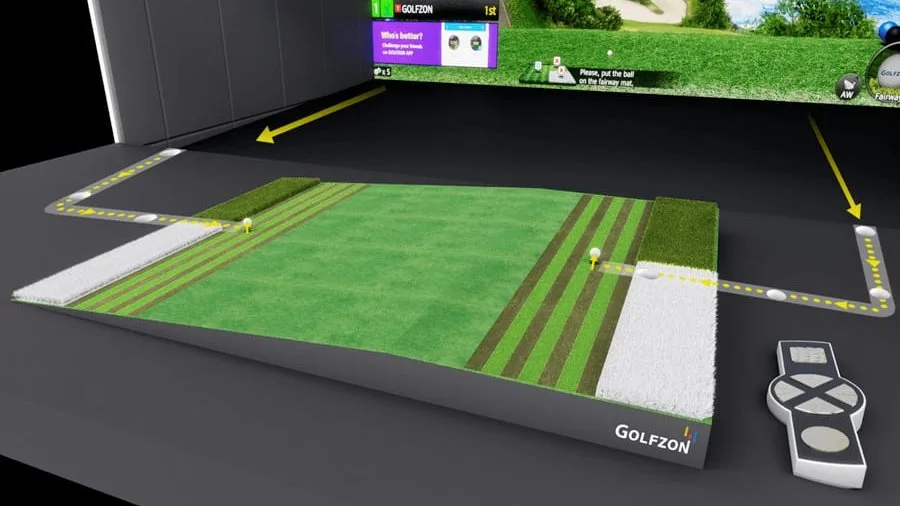
Leading commercial launch monitor options come from Foresight Sports, TrackMan, Golfzon, and Uneekor, and the right choice depends on your venue model, room depth, and price range. A quality launch monitor is the one component where cutting the budget shows up immediately in the customer experience.
Essential Simulator Equipment
A reliable system needs more than a launch monitor, and the components around it should match the launch monitor in quality. A complete commercial bay includes a durable impact screen, a quality hitting mat, a projector, an enclosure, and compatible golf simulation software. High-quality simulators use 1080p projectors at minimum for immersive experiences, and many commercial venues step up to 4K for sharper course graphics on big screens.
Commercial-grade components are worth the price because busy venues put heavy daily use on every part of the system, and a failed screen on league night costs real revenue. Budget for replacement components too: hitting mats and impact screens are wear items with a service life measured in swings, not years.
The better your tracking and build quality, the better the customer experience. Accurate shot readings backed by real club and ball data make the golf simulation feel true to life. When players trust the data, they trust the venue.
Golf Simulator Software and Virtual Courses
Hardware captures the swing, but software creates the experience. The golf simulation software you run determines which virtual courses players can access, what game modes exist, and how the venue handles events and competition.
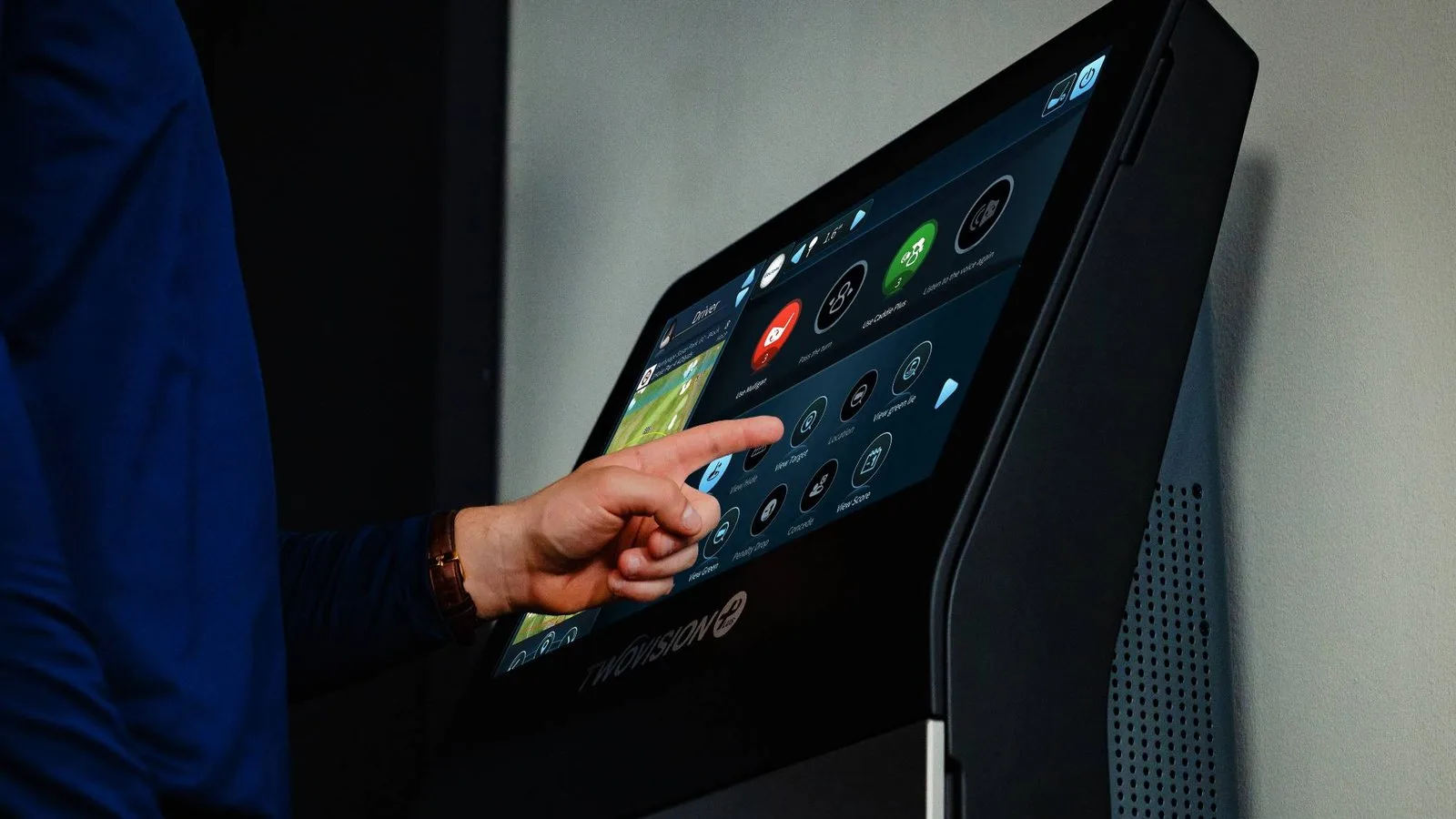
Many simulators support popular simulation software like E6 Connect and GSPro, alongside manufacturer platforms from Foresight Sports, TrackMan, and Golfzon. Software choice matters commercially because course libraries and licensing differ. Some platforms offer dozens of famous courses, letting customers play Pebble Beach, St Andrews, and other bucket-list destinations from around the world without leaving your building. Course variety is one of the strongest reasons customers keep coming back, because virtual golf lets a player in Minnesota tee off in Scotland in January. Virtual golf leagues are also easier to run than outdoor leagues, because virtual golf never rains out. Premium simulator platforms also allow online matchmaking, so your customers can play live rounds against friends worldwide without leaving your bays, and coaches use simulators to let students practice high-pressure situations that build the mental game in ways a driving range never could.
Look for software with strong golf practice modes as well. Driving range sessions, skills challenges, and putting games give customers structured golf practice between full rounds, and venues that program golf practice hours into slow weekday slots broaden who books time: lesson-focused players, league teams, and groups just looking for a fun night out all use the same bay differently. Also confirm the launch monitor you choose is compatible with the golf simulation software you plan to run.
Finally, confirm the simulation software plays well with your operations stack. The latest technology in the bay means little if the front desk cannot manage bookings, and the venues that run smoothest connect their simulator bays to a booking platform built for golf simulator businesses so scheduling, memberships, and events live in one system.
Treat online booking as part of the setup, not an afterthought. Golfers book late: about half of online simulator bookings are made the same day, and about 80% within two days (Sports Carnival golf simulator booking data, October 2025 to September 2026). That makes a fast booking page, live bay availability, and checkout that works on a phone as important on opening day as the projector and the screen.
Creating a Realistic Indoor Golf Experience
A good indoor golf simulator should feel close enough to real golf that players stop thinking about the screen. The swing should feel natural, the ball flight should look believable, and the session should end with customers booking their next visit. The goal is accuracy plus an enjoyable experience people want to repeat.
What Makes Simulators Feel Like Real Golf?
The best virtual golf systems recreate the feeling of a real course without weather delays, lost balls, or five-hour rounds. Sharp course graphics that bring famous courses to life, believable physics on every shot, and smooth gameplay create the moments that turn first-time visitors into regulars. When the virtual golf feels real, the bookings follow. Modern golf simulators are trusted by PGA Tour professionals for golf practice and club fitting, and that credibility carries weight with customers who follow the professional game.
Features Modern Players Expect
- Different ways to play: Casual play, full rounds, quick games, and structured golf practice sessions all matter to different customer segments.
- Tournaments and leagues: Recurring competition is one of the strongest retention tools in the industry. Weekly virtual golf league nights and seasonal tournaments fill off-peak hours and build community around the venue.
- Social and team play: Many golfers come for the group experience, so the software and bay layout should support parties, team formats, and family visits.
- Course variety: Players want a library of virtual courses from around the world, not the same round every visit.
- A smooth overall experience: Easy booking, fast bay startup, and simple controls keep the virtual golf experience moving. Customers should discover how everything works in minutes, not need a tutorial.
Indoor Golf Simulator Business Considerations
A simulator bay can look impressive on opening day, but the business side determines whether it is still busy a year later. If you are earlier in the planning process, our guide on how to start a profitable golf simulator business covers the full launch roadmap.
Understanding Costs
Before opening the doors, venue owners need to understand the full cost of the build: simulator technology, software licensing, screens, bay construction, seating, and the surrounding facilities customers actually spend money in. Staffing and training belong in the budget too, because even the latest technology underperforms without a team that knows how to run it. Service plans and warranties on major components deserve a line in the budget as well, because downtime in a commercial bay is lost revenue, not just an inconvenience. Ongoing software subscriptions may be necessary for full features, including course libraries and online play, so build annual licensing into the operating budget from the start.
For a complete line-item breakdown of hardware, software, and ongoing expenses at commercial price points, see our full guide on how much a golf simulator costs.
Revenue Opportunities for Modern Venues
The good news is that indoor golf venues have many revenue streams beyond simple tee time bookings. Modern venues earn through memberships, leagues and tournaments, coaching and golf club fitting, private events, corporate team outings and virtual golf tournaments, food and drink, and year round golf practice access. NGF data shows more than three-quarters of commercial simulator venues now offer memberships, which turns seasonal visitors into predictable monthly revenue and smooths out the quality-of-life swings that come with weather-dependent business.
Some operators go further with 24/7 unmanned access, letting members book and enter the facility during off-hours without staff on site, which adds revenue to hours that would otherwise sit empty. For a venue chasing the dream of a fully booked calendar, unmanned hours are often the difference between good and great unit economics.
The key is keeping operations smooth as those revenue streams stack up. Booking software built for indoor golf venues manages tee time bookings, memberships, league scheduling, and event management in one system, so the front desk is not juggling five tools during a Saturday rush. Plan well, and indoor golf is both profitable and scalable.
Common Indoor Golf Simulator Setup Mistakes
- Choosing equipment on price alone leads to constant problems later. The system should match your space, software, and customer expectations, and the cheapest golf simulator packages rarely survive commercial duty cycles.
- Ignoring layout planning ruins the experience fast. If golfers do not have enough space to swing a golf club comfortably and safely, nothing else about the venue can compensate.
- Leaving no room for growth limits the business. Many venues fail to plan for additional bays, upgraded simulation software, or new revenue add-ons like club fitting and coaching.
- Overlooking small details creates big operational issues. Lighting, seating, walkways, and screen placement all affect how the venue runs day to day, so review the floor plan in detail before construction starts.
- Choosing complicated systems confuses both staff and customers. Easy-to-use technology creates a better experience on both sides of the counter and cuts training time for your team.
- Rushing decisions leads to expensive changes later. Test each launch monitor in person where possible, search operator communities for real-world feedback, and plan upfront to save money and operational stress.
Conclusion
Indoor golf simulators are booming because they let people enjoy the game anytime, in any weather, all year round. But the venues winning right now are not just buying a golf simulator. They are building a complete system around it. The right equipment, modern golf simulation software, and well-designed facilities turn casual visitors into repeat customers who play virtual golf every week.
If you are planning a venue, do not just install the technology and hope for the best. Optimize your operations and think scalable from day one.
Ready to see how bookings, memberships, and leagues run in one place? Book a live demo of Sports Carnival and see the booking software built to run modern indoor golf simulator facilities.
Frequently asked questions
What equipment do you need for an indoor golf simulator venue?
A commercial bay needs a launch monitor, impact screen, projector, hitting mat, enclosure, golf simulation software, and booking software to manage customer scheduling.
What should you set up before opening day?
Confirm clearance in every bay, calibrate each launch monitor and projector, license the simulation software for commercial use, test screens and mats under full swings, and put online booking, waivers, and payments live with real bay availability. Golfers often book the same day, so a booking page that works on a phone matters from day one.
What software do golf simulators use?
Many golf simulators support popular simulation software like E6 Connect and GSPro, along with manufacturer platforms that include virtual versions of famous courses such as St Andrews.
Can indoor golf simulators accurately track ball flight?
Yes, modern systems accurately track ball flight using spin rate, launch angle, ball speed, and other advanced shot data measured at impact.
How long does it take to install a commercial golf simulator?
DIY installation typically takes 2 to 5 hours for a portable home unit, while a full multi-bay commercial venue buildout with professional installation typically takes several weeks to a few months.
Continue Reading
Articles you might be interested in